iPhone USB-C vs Lightning: What Changed and What It Means for You

Apple switched to USB-C with the iPhone 15. Here is what is different, which port is better, and what to watch out for with cheap cables.
📱 iPhone 15 and newer 🔌 Charging guide
Charging Port Not Working? Get It Fixed →
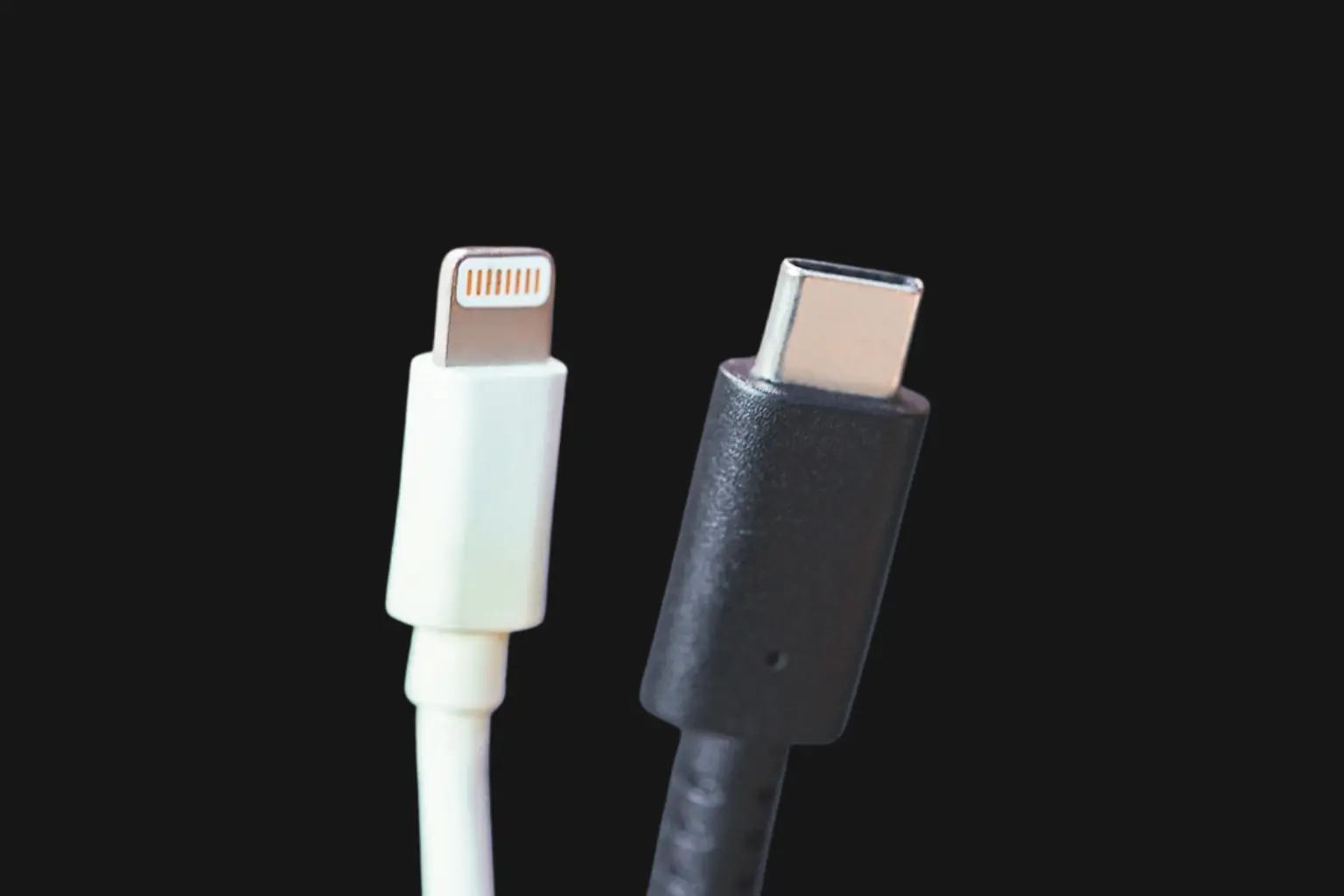
iPhone Lightning connector next to USB-C charging cable comparison

Apple used Lightning connectors on iPhones for over 10 years. With the iPhone 15, they switched to USB-C. It is the same port used on iPads, MacBooks and most Android phones. If you are wondering what actually changed, whether USB-C is better, or what this means for your chargers and accessories, this guide covers it all in plain language.

Which iPhones Use Which Port

Not sure which port your iPhone has? Check the model in the table below.

iPhone Model Port Type
iPhone 14 and older Lightning
iPhone 15, 15 Plus USB-C
iPhone 15 Pro, 15 Pro Max USB-C (USB 3 speeds)
iPhone 16, 16 Plus, 16 Pro, 16 Pro Max USB-C
iPhone 16e USB-C

Why Apple Switched to USB-C

The main reason was regulation. The European Union required all new phones sold in Europe to use USB-C by late 2024. Apple had to switch or lose the European market. The benefit for users is that you can now use one cable for your iPhone, iPad, MacBook and most other devices.

USB-C vs Lightning: How They Compare

The two ports differ in speed, compatibility, and accessory ecosystem. Here is how they stack up on the specs that matter.

⚡ Lightning
Works on
iPhone 14 and older
Charging speed
Up to 12W (slow by modern standards)
Data transfer
USB 2.0 speeds
Accessories
Large existing ecosystem
Status
Being phased out by Apple
🔌 USB-C
Works on
iPhone 15 and newer, iPad, MacBook, most Android phones
Charging speed
Up to 27W (faster charging)
Data transfer
USB 2.0 on standard models, USB 3 speeds on Pro models
Accessories
Universal, works across all brands
Status
The new standard

What You Gain and What You Lose

The switch to USB-C is mostly a win, but it comes with a real downside for anyone with older Lightning accessories.

USB-C Pros
  • One cable for almost all your devices
  • Faster charging on all models
  • Much faster data transfer on Pro models
  • Stronger connector design
  • Universal standard not controlled by Apple
USB-C Cons
  • All your old Lightning accessories stop working
  • Flooded with cheap knockoff cables that can damage your phone
Lightning Pros
  • Proven reliability over 10 years
  • Huge ecosystem of accessories
  • Still works great on older iPhones
Lightning Cons
  • Slower charging and data transfer
  • Apple is no longer making Lightning products

The Problem with Cheap USB-C Cables

Warning: cheap cables can damage your iPhone. The switch to USB-C brought a flood of uncertified cables from unknown brands. These cables look the same but can deliver inconsistent power that damages your battery, cause overheating, and break inside the port leaving fragments that block charging. Always use Apple-certified or MFi-approved USB-C cables. If a cable costs $2 on Amazon it is probably not safe for your iPhone.

Frequently Asked Questions

Common questions about USB-C and Lightning on iPhone.

All iPhone 15 models use USB-C. iPhone 14 and older use Lightning. The switch happened with the iPhone 15 lineup released in 2023.
No. Lightning cables do not fit USB-C ports. You need a new USB-C cable. Apple sells an adapter, but buying a proper USB-C cable is more practical for daily use.
Yes. USB-C supports faster charging, up to 27W compared to Lightning's 12W. You will notice a meaningful difference in charge time, especially with a higher-wattage USB-C power adapter.
The Pro models charge at the same speed as the standard iPhone 15. The difference is data transfer. The Pro models support USB 3 speeds, making them much faster for transferring large files like videos.
No. Only use Apple-certified or MFi-approved USB-C cables. Cheap knockoffs can deliver inconsistent power, overheat, and cause real damage to your battery or charging port. If a cable costs $2 it is not worth the risk.
Same as a damaged Lightning port. The port can be replaced by a repair shop. Charging port repair is available for all iPhone 15 and newer models. If the port feels loose, bent, or your phone won't charge, bring it in for a diagnosis.

Charging port not working?

Walk in at 20503 Dequindre St, Detroit. Free diagnosis. Most charging repairs done same day.

See Charging Port Pricing → 📍 Get Directions

Or call (313) 900-1032

Related Pages